Latest codes 4
| Code | Reward & details | Status | Copy |
|---|---|---|---|
HALLOWEEN
Source: Roblox |
Free rewards |
Reported active | |
Update2
Source: Roblox |
Free rewards |
Reported active | |
20K
Source: Roblox |
Free rewards |
Reported active | |
Update1
Source: Roblox |
Free rewards |
Reported active |
Expired codes 0
No expired codes listed.
How to redeem codes
Copy a code from the list, then follow these steps in the game.
Click SHOP at the bottom of the screen, beside SPLIT.
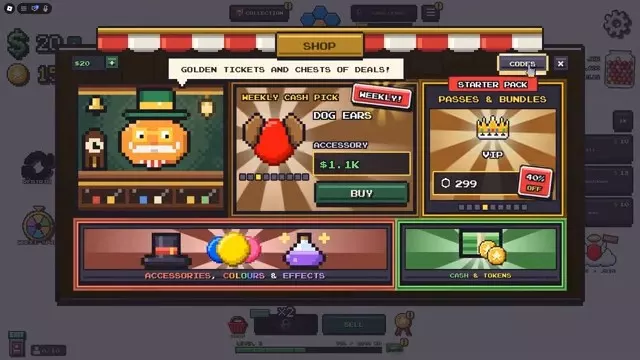
Click CODES in the upper-right corner of the shop.
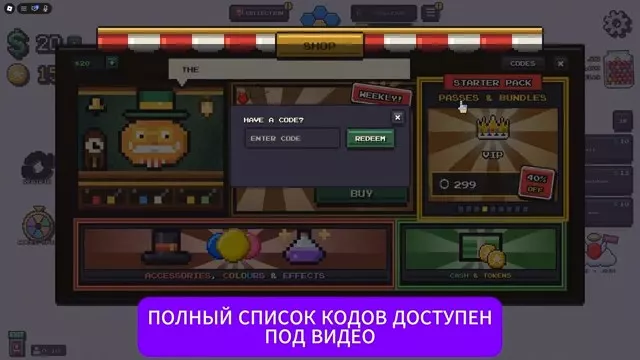
Enter a code in the ENTER CODE field, then click REDEEM.
Trouble redeeming a code?
Use Copy to keep the code's spelling, then check that no extra spaces were added when pasting. Check any listed requirements and expiry details.
If redemption fails, read the message shown in the game before trying again. An expired code will not grant its reward.
Where to find new codes
Check the game's official Roblox page and the developer's social links listed there for code announcements.