

HALLOWEEN UPDATE
Update 2 brings Halloween content, a new outside questline, UI adjustments, and skill tree upgrades, alongside Admin Abuse.
THE ROBLOX FIELD GUIDE
Last updated:
Split cells, sell them for cash, and upgrade your production in Mitosis. Discover mutations and fused combinations, take on Boss challenges, collect cards, and rebirth for Tokens.

Browse
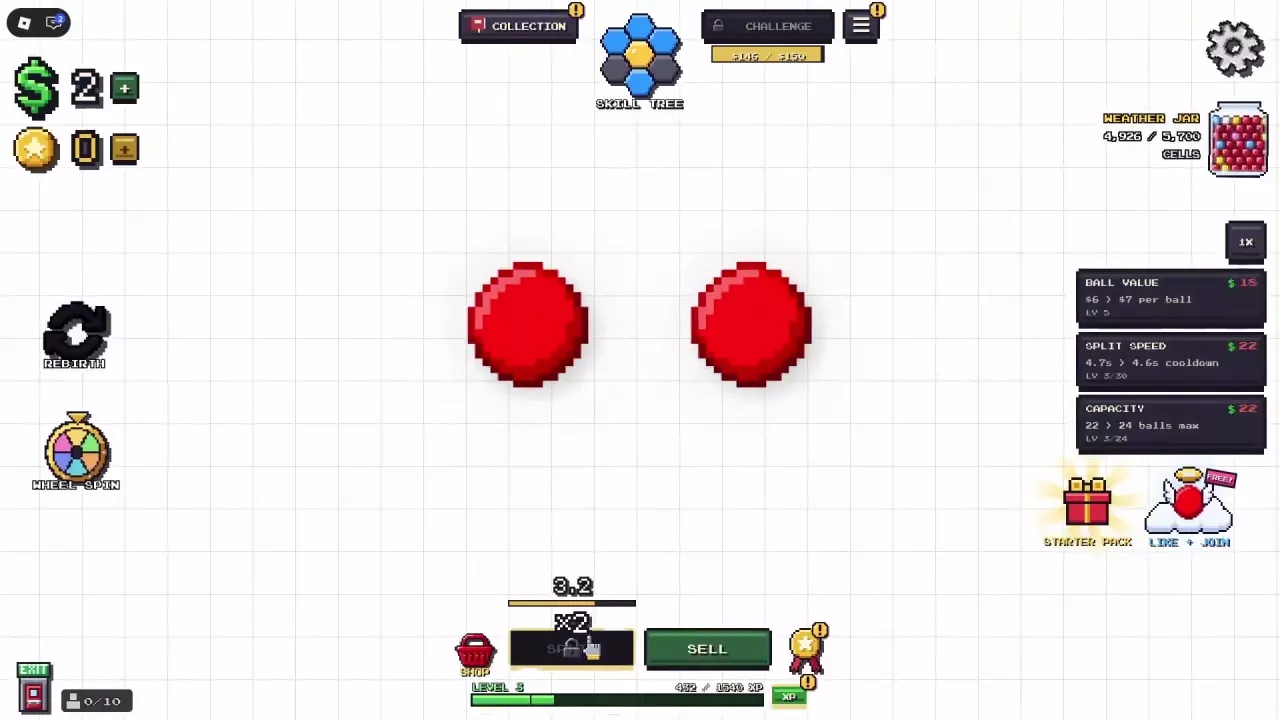
Split your cells. Use SPLIT at the bottom of the screen to increase your population. Wait for the cooldown, then split again. Splitting can also produce mutations.
Sell for cash. Use SELL to turn your batch into money for upgrades. You can sell before reaching capacity.
Improve the next batch. Buy upgrades from the right-side panel, then continue splitting and selling.
Try a challenge. Once CHALLENGE becomes available, enter to work toward cash targets with limited SELL attempts.
When to sell depends on your current goal:
Income also depends on the cells in your batch, mutations, cards, and active bonuses. A larger population alone does not determine the payout.
| Name | Improves | Base upgrade cooldown | Base upgrade capacity |
|---|---|---|---|
| Ball Value | Sale value per cell
| ||
| Split Speed | Shorter split cooldown
| 2 sec
(At MAX LEVEL)
| |
| Capacity | Cell population limit
| 64 cells
(At MAX LEVEL)
|
Splitting can produce mutated cells. Open MUTATIONS to check your collection and YOUR BEST BALL to inspect its composition. Wings and halos are equipped accessories, not defining mutation features. For more discovery opportunities, compare mutation boosts and when to use them.
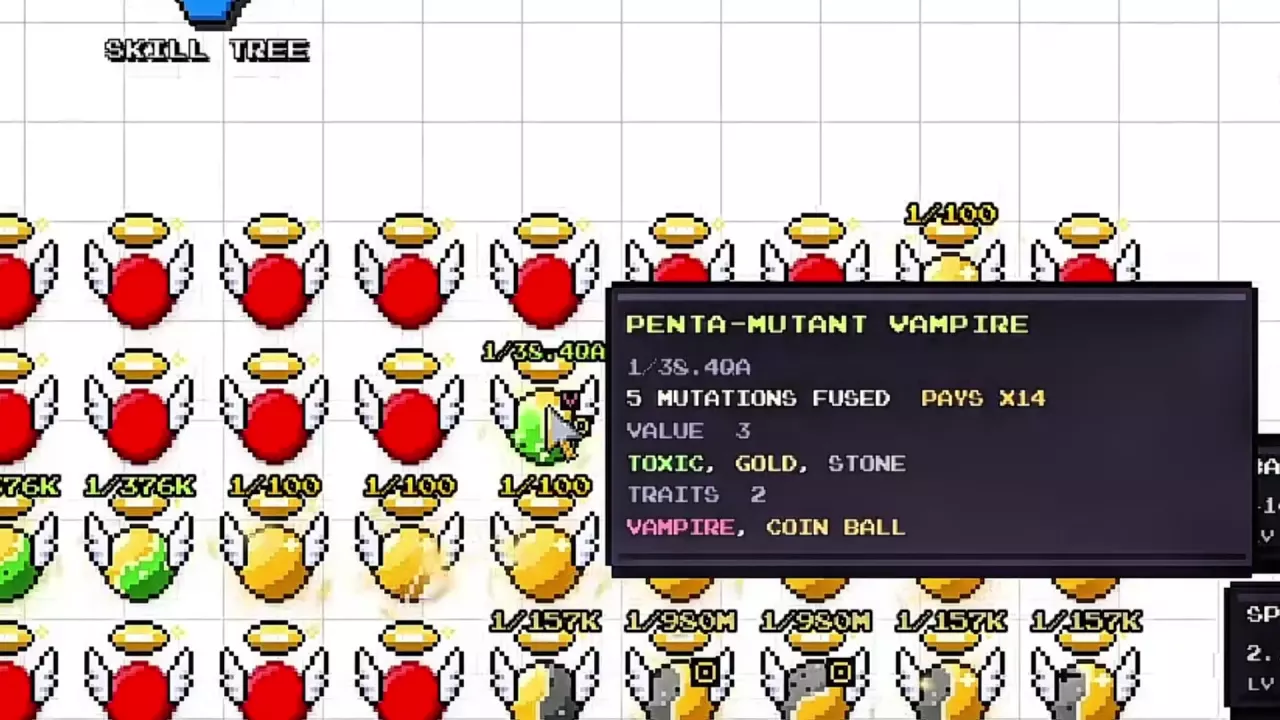
Hover over a ball to see its VALUE, TRAITS, and overall PAYS multiplier. One ball can contain several value mutations and traits: the five-mutation Penta-Mutant Vampire example combines Toxic, Gold, and Stone with Vampire and Coin Ball, and pays ×14.
Use the displayed PAYS value for the whole ball rather than multiplying its individual VALUE entries. Other fusion combinations show how these categories coexist.
A Rotten warning shows a $0 payout. Click the affected ball before splitting and look for CURED! feedback.
Open CHALLENGE when its entry becomes available. Each set has three goals, with a Boss restriction on the third. Every SELL spends one try and adds credited earnings toward the current target. Failing a goal does not make you lose anything.
Reaching a goal brings up CASH OUT. Its amount is separate from the goal target; rewards can include cash, Tokens, or cards. Beating the Boss completes the set and opens the Card Shop.
Calculate the remaining challenge target and average credited cash needed per remaining SELL attempt.
Remaining cash = max(target cash − credited cash, 0). Average cash needed per remaining sale = remaining cash ÷ remaining SELL attempts.
No Wait is a cooldown-related card named as a route to the Minimum Cooldown achievement. For shop rerolls, slot options, and management controls, use the card management guide.

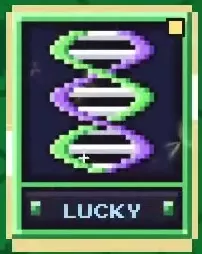
Shiny Uncommon Mutagen
Spend Tokens on skills, Card Shop purchases, and shop rerolls. The TOKENS panel describes a +2% money bonus per token; read its displayed bonus when assessing your progress. The Token guide covers sources and spending choices.
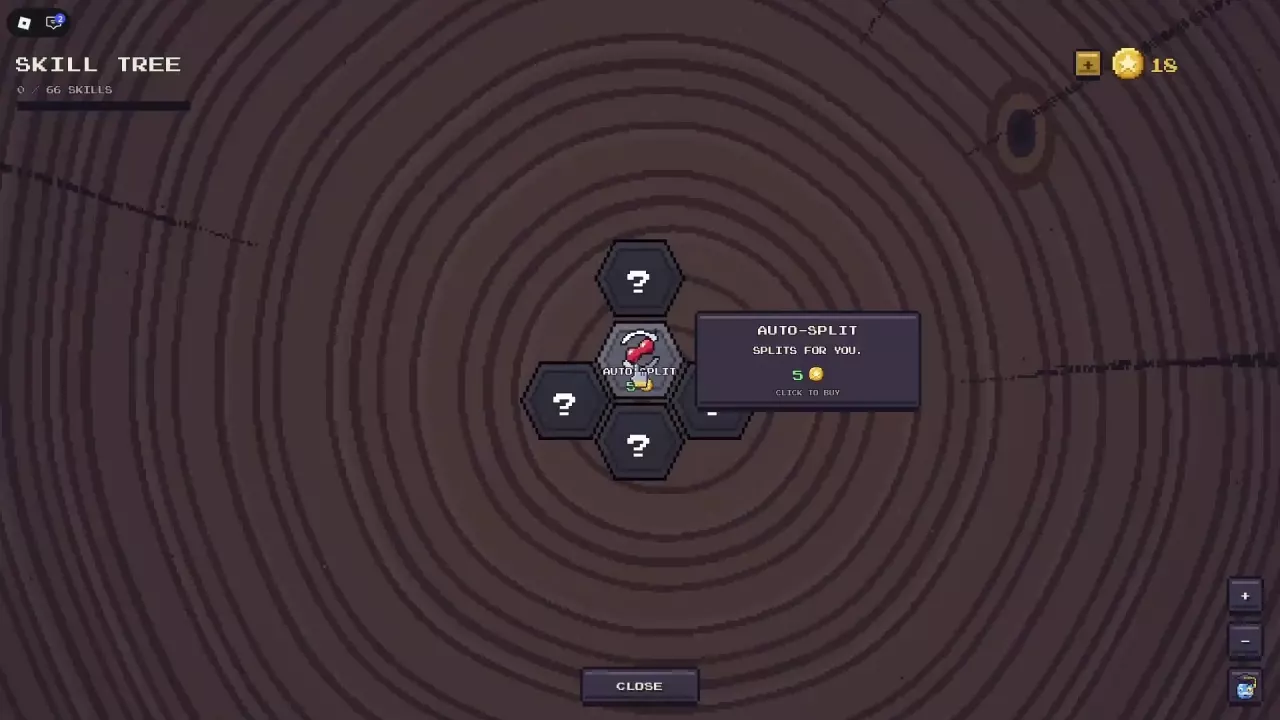
Buy the central Auto-Split skill for 5 Tokens, then enable AUTO beside SPLIT. You can buy it before your first rebirth and without purchasing another skill first.
Buying Auto-Split reveals Quick Start, Tokens I, Value I, and Slot 4. Their costs and the starting branch are covered in the Auto-Split and skills guide.
Open the circular-arrow Rebirth button on the left to preview your reward in TOKENS. Check READY, the expected Token award, and the before-and-after money bonus.
Your first rebirth also unlocks Wheel Spin.
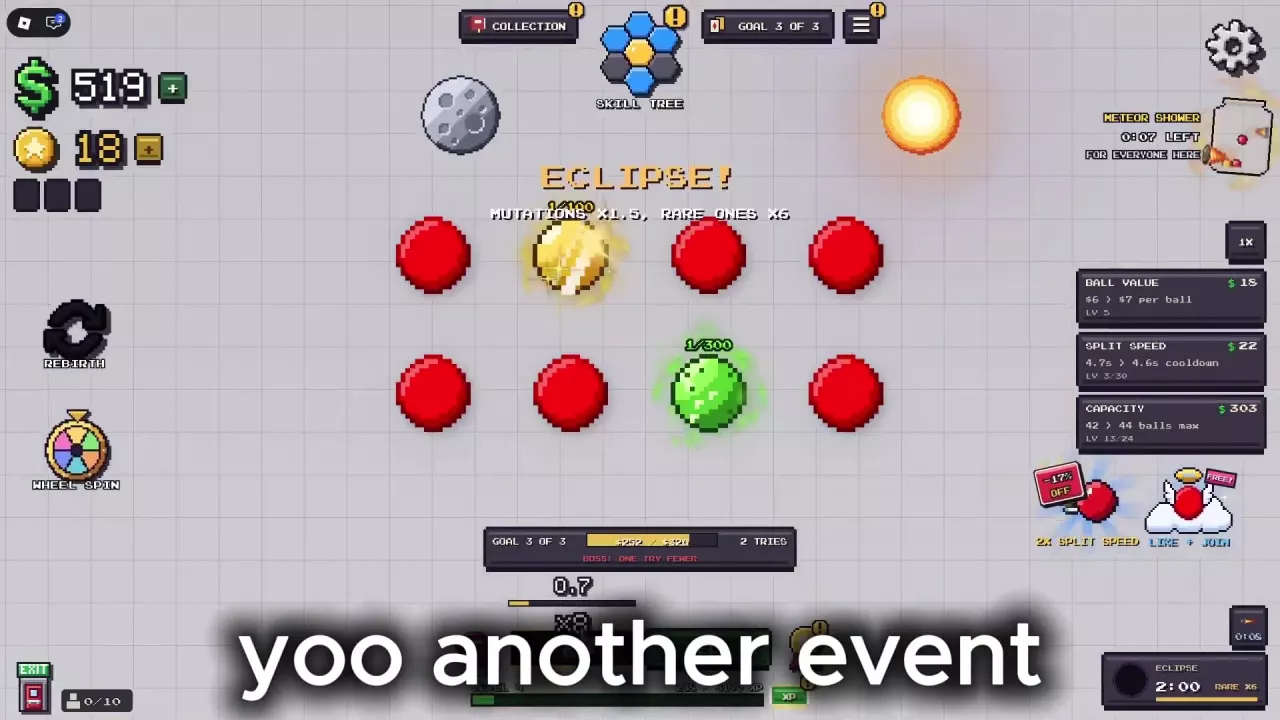
A full Weather Jar triggers weather for everyone present. Meteor Shower can show a Token reward indicator; Candy Rain is recognizable by falling candy.
When an activity appears, use its offered tool and follow the event prompt:
Splitting and selling advances your level. Open XP at the bottom of the screen, then use CLAIM or CLAIM ALL for available rewards.
The level reward list covers the other rewards and claim states.
Complete one rebirth to unlock WHEEL SPIN on the left. Use your daily free spin when FREE SPIN! is available. Results include Token Stash, and the wheel's ODDS control lets you inspect its chances. See Wheel Spin rewards and options for the full controls.
Open Achievements, use SEARCH or RECENT, and select an entry to read its condition and status. These similar-sounding goals require different actions:
The achievement and Roblox badge index lists the two collections separately.
Switch between Money, Tokens, and Best Mutation. Each view shows a top-25 list and your own value separately; results refresh every few minutes. The leaderboard guide explains how to read the tabs.
Join the game's group, then use LIKE + JOIN on the right to claim the free Little Angel wings and halo. Level rewards also include Lab Goggles and Blue Bow; after claiming Blue Bow, find it in the Shop. The accessory catalog covers additional items and sources.
Compare other animations and sources in the cosmetic effects catalog.
Open Menu > Titles to read unlock requirements and find the title marked EQUIPPED. Reborn requires one rebirth; Lab Rat requires claiming the level 10 reward. The title list covers more unlock targets.



VIP combines +25% cash on every sale with a gold grill and crown accessory, VIP trail, and gold [VIP] chat title.
Both include Space Helmet, but their other benefits differ:
No. Buy the central Auto-Split skill for 5 Tokens, then enable AUTO beside SPLIT. No earlier skill purchase is required. See the Auto-Split guide for the starting branch.
No. Your level and XP carry over, while cash and the Ball Value, Split Speed, and Capacity upgrade levels reset. Check your reward preview before rebirthing.
No. Lab Goggles and the +5% cash-on-every-sale bonus are separate level 5 rewards. Claim the cash bonus through Level Rewards; it is not a goggles equipment effect.
Click the Exit door in the lower-left corner and wait for the teleport transition to return to the 3D world. The beginner guide shows the control.
| Code | Reward & details | Status | Copy |
|---|---|---|---|
HALLOWEEN |
Free rewards |
Reported active | |
Update2 |
Free rewards |
Reported active | |
20K |
Free rewards |
Reported active | |
Update1 |
Free rewards |
Reported active |
Update 2 brings Halloween content, a new outside questline, UI adjustments, and skill tree upgrades, alongside Admin Abuse.
Update 1 adds mutation upgrades and daily rewards, with an Admin Abuse event.