

Buy the Central Auto-Split Node for 5 Tokens
You need 5 Tokens and access to the Skill Tree. No earlier skill purchase is required, and you can unlock Auto-Split before your first rebirth.
- Open the Skill Tree. Wait for the opening animation or click anywhere to skip it.
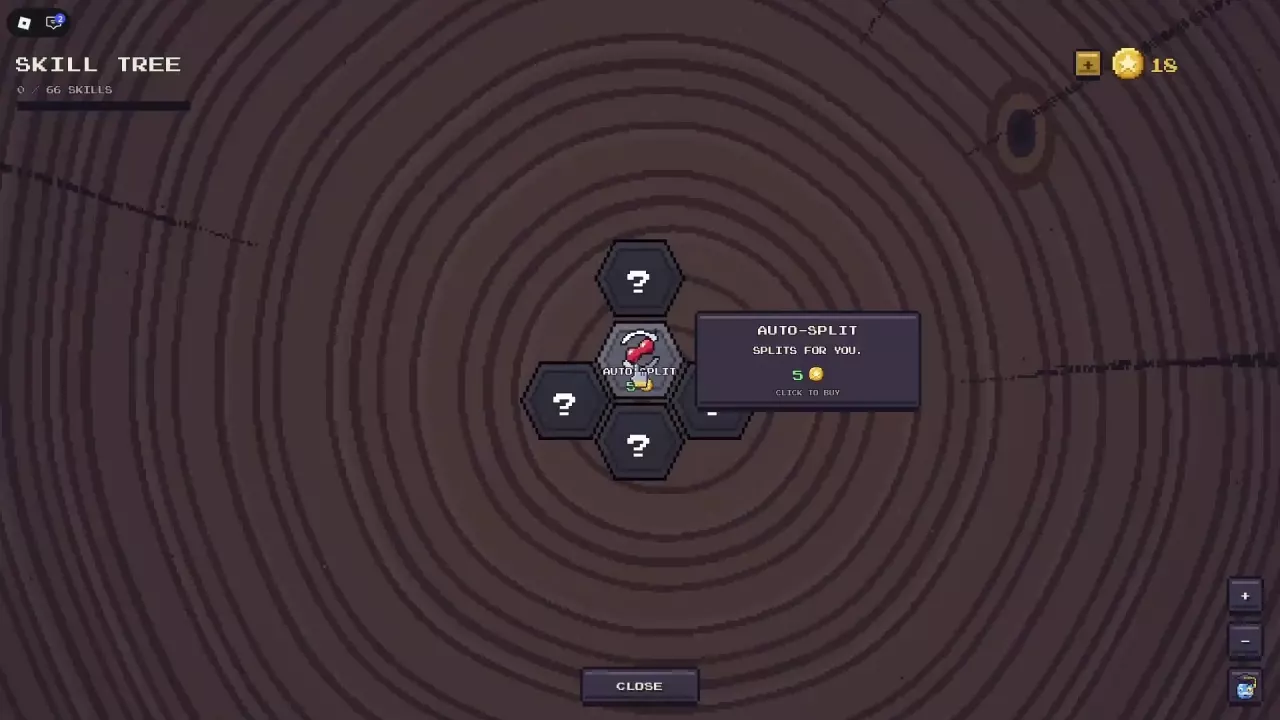
- Hover over the central Auto-Split node. Its description reads SPLITS FOR YOU, with a price of 5 Tokens and CLICK TO BUY.
- Click the node to purchase it. The node turns gold and its tooltip changes to OWNED.
As your first skill purchase, Auto-Split moves the skill counter from 0/66 to 1/66 and unlocks the Bronze First Step achievement, whose requirement is to buy your first skill.
Need Tokens first? Check the Token sources and spending guide. If you are considering a restart, review the rebirth rewards and resets before committing.
Enable AUTO Beside SPLIT
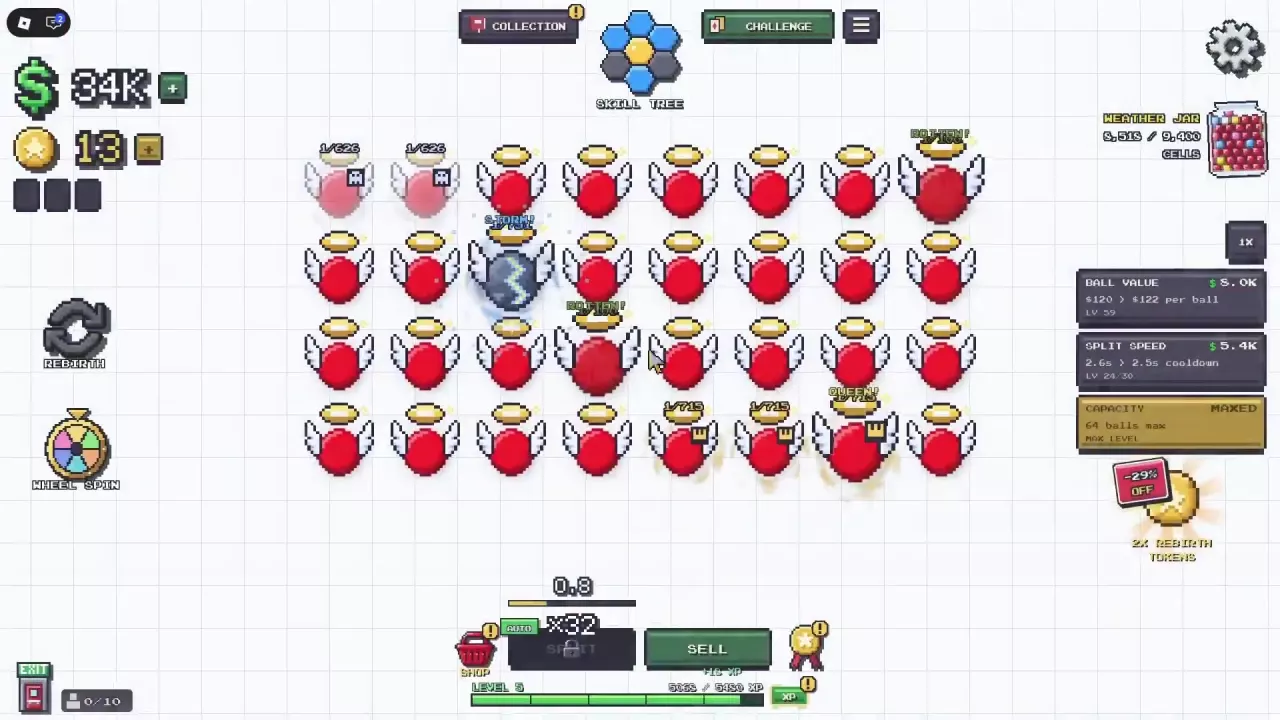
After buying the skill, return to the splitting screen and enable AUTO beside the SPLIT button. A green AUTO indicator means automation is on. Splitting still follows its cooldown.
AUTO also splits Zombie balls. When you want to decide whether or when to split one, keep AUTO OFF, use SPLIT manually, and wait for the cooldown before splitting again. For other named balls and their interactions, see the mutation index.
Read the Starting Branch
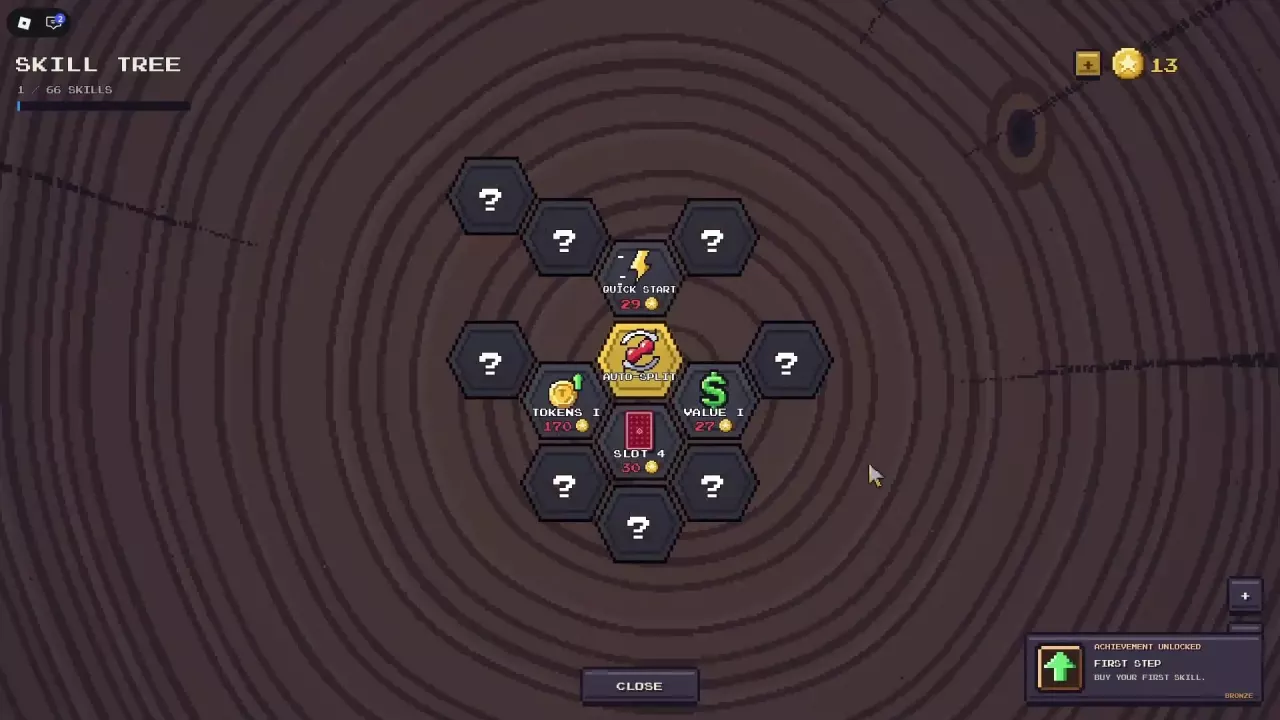
Buying Auto-Split reveals Quick Start, Tokens I, Value I, and Slot 4 around the central node. The positions and prices below describe this starting branch, with Auto-Split owned and all four neighboring skills still unpurchased. Revealing a node does not buy it.
Use the listed costs to plan your next purchase, then inspect the node's description before spending. If you are exploring card slots, the card management guide covers the separate slot options.
-
Auto-Split
- Cost
- 5 tokens (Initial Skill Tree)
- Position
- Central starting node
-
Quick Start
- Cost
- 29 tokens (Price preview after purchasing Auto-Split)
- Position
- Above Auto-Split (Initial revealed branch)
-
Tokens I
- Cost
- 170 tokens (Price preview after purchasing Auto-Split)
- Position
- Below-left of Auto-Split (Initial revealed branch)
-
Value I
- Cost
- 27 tokens (Price preview after purchasing Auto-Split)
- Position
- Below-right of Auto-Split (Initial revealed branch)
-
Slot 4
- Cost
- 30 tokens (Price preview after purchasing Auto-Split)
- Position
- Below Auto-Split (Initial revealed branch)
Choose Automation as a Convenience Upgrade
If repeated SPLIT clicks are your main frustration, reserve 5 Tokens for Auto-Split before spending on other options. Its value is straightforward: it handles an action you would otherwise repeat yourself. For situations where timing matters, use the manual control described above.
While exploring the tree, use the + and − buttons on the right to adjust the zoom. Select CLOSE at the bottom to return to the lab.