

Grab the Gun When Duck Hunt Appears
Join when Duck Hunt is active in the main play area:
- Find the wooden-stock gun beside GRAB! at the bottom right.
- Use the prompt to take the gun.
- Aim at the flying ducks and shoot while the event is running.
Look for ducks with green heads, yellow bills, and gray-brown bodies moving across the play area. Take the gun promptly so you can use the remaining shooting time.

Shoot Before the Timer Ends
Watch the Duck Hunt panel at the bottom left. The countdown tells you how much time remains, and the adjacent × counter tracks activity during the event. Keep aiming at moving ducks and shooting while time remains.
Muzzle flashes or smoke provide visible feedback that the gun is firing. The activity counter rises during shooting, and Duck Hunt can award cash. Watch for positive cash popups as you play; the counter alone does not give you a per-duck payout.
For bonuses that affect selling cells, see the weather event guide and sale-income guide.

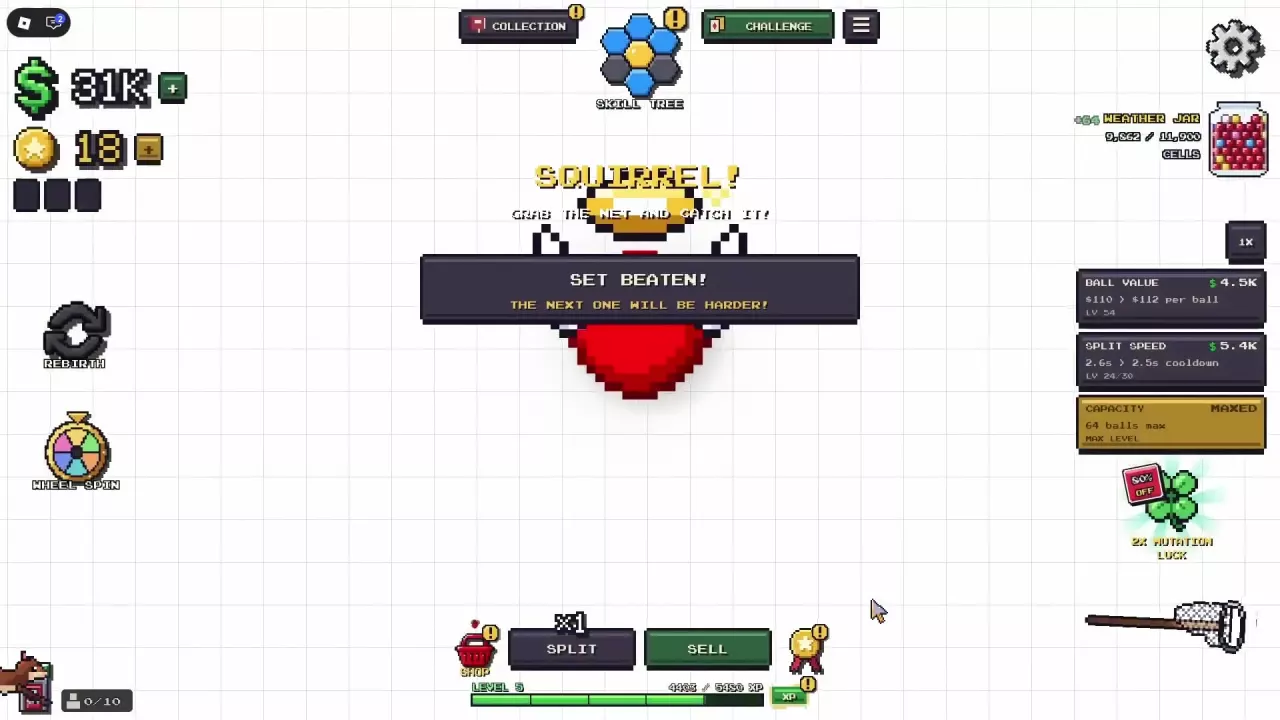
Recognize the Squirrel Net Prompt
When SQUIRREL! appears, follow its instruction to grab the net and catch the squirrel. Look for the long-handled catching net at the bottom right.
The screenshot below shows the brown squirrel partly entering from the lower-left edge and the net on the opposite side. Use those details to recognize the target and tool, then follow the squirrel's position in your own play area.
Golden Mole and Gold Digger
Hit a Golden Mole to fulfill the Gold Digger achievement requirement.
To check your status, open Achievements, use SEARCH to find Gold Digger, and select its entry to read the requirement and unlock status. For other collection goals, browse the achievement requirements and badge index.